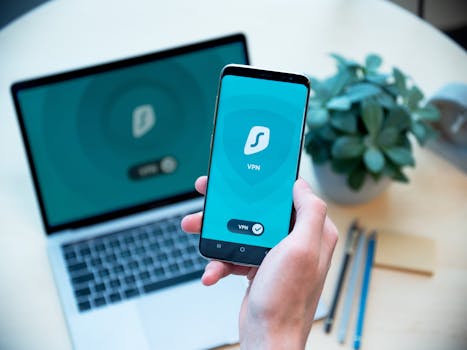
Picture this: You’re at a café, checking your balance on your phone. Most of us do it without a second thought, trusting secure banking apps for nearly every transaction.
Mobile banking puts powerful tools in our pockets, but safety rules have changed. Account protection means more than just a strong password or logging off when you’re done.
Let’s untangle the best, latest habits for staying safe with banking apps—practical steps you’ll want to put into practice right away.
Anticipate the Risks: Every Device Is a Potential Target
Banking on your phone means convenience, but every device can be a target. Attackers don’t care if your device is brand new or three years old.
By understanding how threats actually reach devices, you’ll find it easier to block them. For instance, malware often sneaks in through everyday downloads.
Rule: Only Download Apps from Official Sources
Always use the official app store for downloads. Third-party sources look tempting with shortcuts or extra features, but they frequently host malware.
Take this quick test: next time you install or update, look for the app store symbol, developer verification, and read a few reviews before tapping download.
Scenario: Wi-Fi at the Airport
You’re waiting for a flight and log into bank apps over free Wi-Fi. Hackers love unprotected networks. A safer move? Use cellular data or a trusted hotspot.
Before logging in, ask yourself: “Would I share private info aloud in this setting?” If not, wait until you have a secure connection. Your financial safety improves with this small habit.
| Threat | How It Happens | Quick Check | Practical Takeaway |
|---|---|---|---|
| Unsecure Wi-Fi | Man-in-the-middle attacks intercept data | Connection not password-protected | Switch to your phone’s data or use a VPN |
| Malicious Downloads | Apps from unofficial stores carry malware | Source unknown, permissions seem odd | Stick to official app stores, check developer |
| Phishing | Fake emails or SMS ask for login details | Messages with urgent requests | Don’t click; go straight to your trusted app |
| Outdated Software | Old apps miss new security patches | App hasn’t updated in months | Enable automatic updates for your apps |
| Exposed Credentials | Login details stored in plain text or screenshots | Saved passwords outside of password managers | Use built-in password manager only |
Password Practices: Set Up Defenses That Actually Work
Every sound security routine starts with a great password. Yet, many users still recycle easy-to-guess combinations or leave default codes unchanged.
It’s surprisingly easy for someone to guess “bank123!” or use basic patterns. Let’s see how you can make your secure banking apps truly tough to crack.
Layer Up: Multifactor Authentication
Start by enabling multifactor authentication. This adds a second step, making it much harder for strangers to access your account with only a password.
The process takes a minute to set up—look in your app’s settings, find “security options,” and turn on options like text codes, authenticator apps, or biometrics.
- Set unique passwords for each bank account app—never recycle credentials, even if you’re in a hurry.
- Use a password manager to generate and store strong, unguessable passphrases safely and conveniently.
- Enable multifactor authentication wherever possible for an extra line of defense against stolen credentials.
- Update passwords twice a year or after any major data breach, not just when prompted by the app itself.
- Avoid writing your banking passwords anywhere others can find them, such as on notes or in unencrypted phone files.
Each habit here makes a potential hacker’s life much harder—and yours far less stressful.
Passcodes and Biometrics: When Sensible, Double Down
When your app lets you use a fingerprint or facial recognition, turn it on as a convenience and a security boost.
If you’re worried about device theft, pair biometrics with a strong password or PIN so neither becomes a single point of failure.
- Set up biometric login for one-tap access and stronger account defense without extra typing.
- Check if your phone offers secure enclave storage for biometrics, which is safer than standard app-level access.
- Avoid using simple PINs like “1111” or “1234”—opt for non-sequential and non-repeating numbers.
- Change device lock screen codes every few months, making device-level access a little more unpredictable if lost or stolen.
- Test your setup by logging out and back in once a month to spot missing steps or security feature changes.
Small updates to your authentication methods add meaningful protection—and rarely impact your daily convenience.
Notifications, Alerts, and Review Habits
Smart notifications do much more than announce deposits. The trick is to turn on the right alerts and actually check them, so nothing slips by unnoticed.
If your bank offers alert customization—withdrawals, logins, suspicious activity—use it. Set reminders to review these notifications regularly and act fast on anything suspicious.
Rule: Skim Alerts, Then Investigate
When a notification arrives, don’t ignore it, even if it feels routine. For example, a login alert in the middle of the night deserves your attention.
Develop a habit: scan, ask, act. Scan the alert details, ask if it makes sense, and act by checking recent transactions or contacting support if unsure.
Scenario: Spotting the Odd Transaction
Let’s say you find a $1.27 charge from an unknown merchant. Many attackers test stolen cards with small purchases.
Flag it quickly. If a customer catches this fast, they can freeze funds before larger fraud occurs. Regular review is your early warning system.
Update, Upgrade, Repeat: Staying Ahead Is a Moving Target
No app remains secure forever without maintenance. Updates aren’t just cosmetics—they patch critical flaws and keep hackers out.
If updates are available, don’t wait to download them. Activate automatic updates, or set a monthly reminder on your phone.
Quick Routine: Make Updates a Habit
Every first Saturday of the month, check for software and app updates. Consider it as regular as laundry day or grocery shopping.
Children often update games for new features—apply that mindset to your secure banking apps. Quick updates, big peace of mind.
- Enable automatic app updates so you never miss a critical patch or new security feature.
- Manually check for app and device updates monthly, especially following headlines about new threats.
- Restart your phone after a major update to ensure changes are fully applied.
- Keep your device’s operating system up to date; not just apps, but the OS itself, is a common attack point.
- Uninstall old banking apps you no longer use; dormant accounts and neglected apps can still create risk.
Routine maintenance only takes a few minutes each month but can catch vulnerabilities before they do damage.
Mini Experiment: Update Speed
Try this: measure how long an app update takes once a week. Most are done in under two minutes. Compare that to the time spent unwinding a security mess.
Today’s quick update routines fit neatly into busy lives and offer peace of mind out of proportion to their effort.
Phishing Defense: Outwit the Tricksters by Spotting Red Flags
Fake alerts—texts, emails, even calls—often mimic banking notifications. Knowing what to look for keeps your secure banking apps in your hands only.
Social engineering preys on urgency and routine. If a message claims you need to “verify” your account or urgently click a link, slow down.
Checklist: Spot Messages with Suspicious Signals
Look for generic greetings, odd sender addresses, misspellings, or requests for sensitive info. Secure banking apps never ask for PINs or passwords over text or email.
Here’s a checklist to follow when you get a suspicious message—copy it and keep it handy:
- Verify the sender address or phone number: real banks use official domains and consistent numbers.
- Never click on links from unexpected texts or emails, even if the message appears urgent or looks familiar.
- Look for strange language, odd capitalization, or grammar errors that signal automation or spoofing.
- Avoid sharing personal info or login details over the phone unless you’ve initiated the call to an official number.
- Save the bank’s helpdesk contact info in your phone so you can reach support quickly without relying on suspicious links.
Even cautious users fall for clever phishing every year. This checklist can stop an attack before it starts.
Observation: Banks Don’t Rush You
Banks never urge you to act instantly or threaten account closure via generic messages. If anything feels pushy, it’s smarter to step back.
Think of these requests like a stranger asking for your house keys—stop, ask, and confirm before taking action.
Physical Phone Security: Guard More Than the App
Your phone itself is the first defense line for secure banking apps. If it’s lost or stolen, an unlocked phone gives away more than you might think.
Lock screens aren’t just about privacy from friends—they’re your last barrier to unwanted account access.
Routine: Always Set Lock Screens and Timeout
Enable a lock screen, ideally with both a PIN and biometrics. Set auto-lock to activate within a minute—don’t rely on manual locking.
If you misplace your phone, use your provider’s “find my device” tool to lock and possibly erase data remotely. Quick action means less chance of compromise.
Story: Left Behind at Coffee Shop
A friend left their phone at a coffee shop. Thanks to a short lock timeout and remote device lock, their accounts stayed protected—even with several important apps open.
Securing the phone’s outer layers can stop a minor slip from becoming a crisis.
Managing App Permissions: Not Every Tap Deserves Trust
Permissions pop-ups can feel endless. Most secure banking apps need only a few essential permissions. If they ask for unrelated access, question why.
Grant what’s required, but deny requests for extras like photos or contacts unless there’s a clear reason.
Comparison Table: Banking App Permissions
| Permission | Typical Need | Risks of Granting | Action |
|---|---|---|---|
| Camera | Deposit checks | Could access private images | Enable only during deposit, revoke after |
| Contacts | Send money to friends | May expose contacts to outside apps | Limit access unless feature is used |
| Location | Locate ATMs or verify device | Continuous sharing tracks movement | Choose “only while using app” |
| Microphone | Voice-enabled banking | May record audio if breached | Decline unless you use voice features |
| Storage | Access to files for verification | Broader data exposure if device is compromised | Grant one-time access or limit to app folder |
Wrap-Up: Make Banking Security Your Everyday Habit
We’ve covered how to spot dangers, set good authentication, update regularly, and use secure banking apps’ features wisely. Every tip has a reason rooted in how digital risks really work.
Small changes—routine updates, alert reviews, smarter permissions—add up to real safety gains, especially as attackers get more creative each year.
Choose one new security step this week: perhaps review your app alerts or set a better PIN. Each tiny habit builds your confidence and keeps your money where it belongs.